


Red Ball 4: Physics-Powered Platformer Adventure
Overview
Red Ball 4 delivers a unique blend of 2D platforming and physics-based puzzle-solving, offering a gameplay experience that is both accessible and challenging. Designed as a casual arcade adventure, the game guides players through a series of levels where the red ball must navigate obstacles, traverse dynamic terrain, and solve environmental puzzles. Its core mechanic revolves around gravity and momentum, allowing players to use slopes, springs, and seesaws to progress through intricate level designs.
While the game’s visual style and tone suggest a younger audience, the complexity of its puzzles may exceed the skill level of its intended demographic. The game’s structure supports repeated attempts with a generous checkpoint system, minimizing frustration during trial-and-error phases. It is best suited for casual gamers seeking light entertainment with a touch of brain-teasing challenge.
The developer, Red Ball Games, has not provided additional context about their background or previous titles. Real-world usage scenarios include short play sessions during breaks, family-friendly gaming time, or as an educational tool for introducing basic physics concepts in a playful format. The game’s simplicity in controls and visual clarity make it suitable for a wide range of users, though its niche appeal remains limited by its tonal mismatch.
Key Features & Capabilities
- Physics-Driven Movement: The red ball’s motion is governed by realistic gravity and momentum, enabling players to build speed on slopes and execute long jumps that require precise timing.
- Environmental Puzzles: Levels incorporate interactive elements like seesaws, spring-loaded cogs, and movable platforms, requiring players to plan ahead and manipulate the environment to progress.
- Checkpoint System: Frequent checkpoints allow players to resume from recent points after failure, reducing frustration and encouraging persistence through difficult sections.
- Simple Controls: On-screen directional and jump buttons provide intuitive input, optimized for touch devices and compatible with keyboard and mouse on desktop platforms.
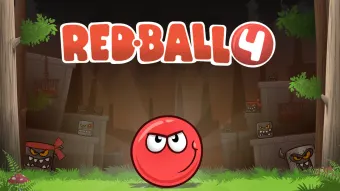
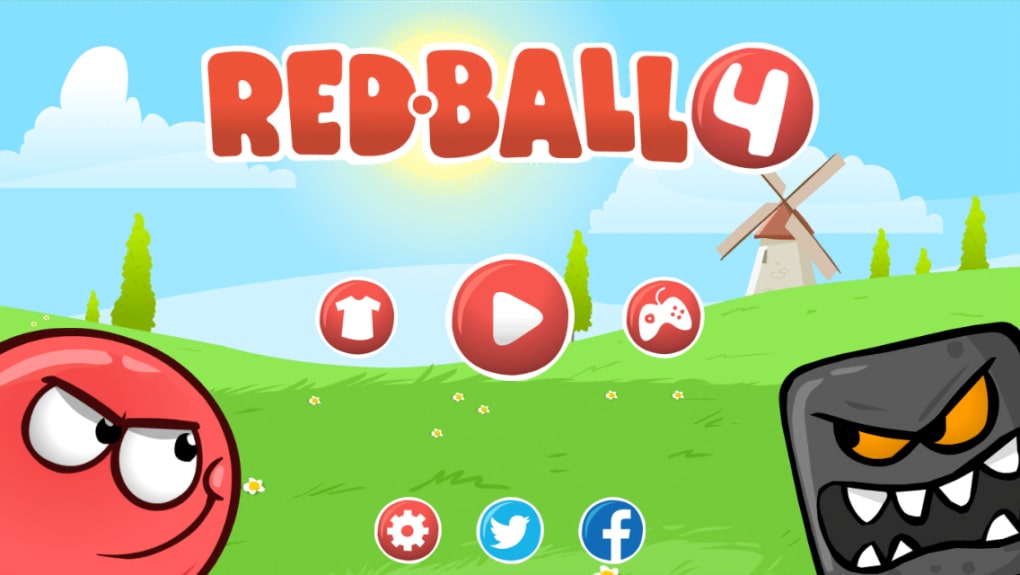
- Cartoonish Visual Design: A limited color palette and stylized 2D sprites create a clean, visually distinct world that enhances clarity across various screen sizes.
These features work together to create a gameplay loop that alternates between fast-paced platforming and thoughtful puzzle-solving. For example, a player might use a slope to gain momentum, then trigger a spring to launch the ball over a gap, only to land on a seesaw that must be balanced before continuing. This interplay between mechanics keeps the experience dynamic and prevents monotony. The game’s design encourages experimentation and learning through failure, making it a useful tool for developing spatial reasoning and problem-solving skills. While the puzzles are not overly complex in theory, their execution demands precision and timing, which may challenge younger players despite the game’s playful presentation.
User Interface, Workflow & Performance
The user interface of Red Ball 4 is minimal and focused on gameplay, with no cluttered menus or distracting overlays. Navigation is straightforward, relying on on-screen controls or keyboard input to direct the red ball through each level. The layout is optimized for both touch and desktop use, with buttons positioned for easy access.
The workflow is linear—players progress from one level to the next after completing objectives—though optional challenges may be available in some stages. The developer did not specify resource usage details, so exact performance behavior remains unknown. However, given the game’s 120 MB size and 2D graphics, it is expected to run smoothly on most modern systems.
Stability appears to be consistent, with no reported crashes or bugs in the current version. Performance observations are based on general software behavior patterns. The game does not require high CPU or RAM usage, making it suitable for older machines.
The audio and music are simple and repetitive, aligning with the cartoonish aesthetic, though they do not detract from core gameplay. Overall, the interface supports a seamless experience, though the physics model can feel sluggish at times, particularly when reversing direction after building speed.
Compatibility & System Requirements
Red Ball 4 is available for both Windows and Mac operating systems. The software version is 1.0, with a file size of 120 MB. Platform compatibility information is limited to the two systems mentioned.
The developer did not provide additional system requirements, so exact hardware specifications such as CPU, GPU, or RAM are not available. Compatibility with older or low-end systems is assumed based on the game’s lightweight nature and 2D design. Installation is straightforward, requiring minimal disk space and no additional dependencies.
The game does not appear to require internet access for core functionality, though updates may be delivered through the distribution platform. No specific information was provided about support for external devices or accessibility features. Users should verify compatibility with their specific system configuration before installation.
Pros and Cons
Pros
- Engaging mix of platforming and physics-based puzzles
- Generous checkpoint system reduces frustration
- Simple, intuitive controls suitable for casual players
- Lightweight file size (120 MB) for fast installation
- Clear visual design enhances readability on all screen sizes
Cons
- Physics mechanics can feel sluggish during directional changes
- Tonal mismatch between childlike visuals and complex puzzles
- Audio and music may feel repetitive or underdeveloped
- Not clearly targeted at any specific age group
- Limited system requirements information provided
FAQ Section
Is Red Ball 4 available for Windows and Mac?
Yes, Red Ball 4 is compatible with both Windows and Mac operating systems as stated in the product details.
Is the game free to download and play?
Yes, Red Ball 4 is available at no cost. The current version is free to download and use without requiring a paid subscription or in-app purchases.
Does Red Ball 4 require an internet connection?
The game does not appear to require an internet connection for core gameplay. However, future updates may be delivered online through the distribution platform.
Can I play Red Ball 4 offline?
Yes, once installed, Red Ball 4 can be played without an active internet connection, making it suitable for offline gaming sessions.
What type of license does Red Ball 4 use?
As a free-to-play title, Red Ball 4 likely uses a proprietary license. No specific licensing details were provided by the developer.
Final Thoughts
Red Ball 4 presents a competent and entertaining fusion of 2D platforming and physics-based puzzles, offering a unique challenge that stands out in the casual gaming space. While its visual style and tone suggest a younger audience, the game’s increasing difficulty and precision demands may appeal more to older casual players or those interested in light problem-solving. The generous checkpoint system and intuitive controls help maintain engagement despite occasional frustrations with the physics model.
However, the mismatch between its playful presentation and complex gameplay limits its broad appeal. For users seeking a quick, brain-stimulating break or a simple way to introduce basic physics concepts, Red Ball 4 delivers value. Its lightweight design and free access make it a solid choice for desktop gaming.
Download Red Ball 4 now and test your reflexes and reasoning in a world where every bounce counts.







